


The best not-for-profit website design makes it clear who needs help, what support achieves and how visitors can act.
Australian charities need to serve people seeking support as well as people offering it. These 16 examples show different ways to organise those competing needs without burying either audience.
We look at the design choices in each example, then explain what to check before borrowing them. This is an editorial selection, not a measured ranking of donation performance or a claim that KC built these sites.
The screenshots capture an earlier version of each site, so live campaigns and layouts may differ. Use the linked organisations to explore their current pages; the useful comparison is the visitor task each not-for-profit website design supports.
Best Nonprofit Website Design Examples in Australia
1. Hobart City Mission: put service history beside help pathways

Hobart City Mission uses dark blues with gold accents and leads with “Caring Since 1852.” The site balances historical authority with modern functionality, featuring clear donation pathways and service information for those seeking help.
The “Caring Since 1852” positioning puts the organisation’s history beside its service information. The founding date gives readers a concrete piece of history to investigate.
The restrained palette leaves room for service descriptions and donation buttons. History is useful context alongside current service information.
A strong foundation for any Hobart website design project.
2. Kuditj, Perth: give cultural identity room in the design

Kuditj builds the hero around a space photograph of Perth with a curved graphic positioned above a centred “Welcome” headline. The palette combines deep teal, cream and green.
Three service cards present “Kuditj Gifts,” “Kuditj Kitchen,” and “Employment Services.” A dedicated “Noongar Radio” feature block highlights the organisation’s media presence.
The hero graphic gives the opening section a recognisable focal point. Cultural identity carries through the palette and layout, while service cards explain what visitors can do next.
For a Perth website design project, this example raises a useful briefing question: which visual elements belong to the organisation, and who should approve their use? Cultural meaning needs input from the people it represents.
3. Big Group Hug, Melbourne: separate the ways people can help

Big Group Hug explains its work supplying essential items to children and families. Its current homepage separates donating funds, donating goods and volunteering, giving each action its own entry point.
The action cards make the distinction between money, goods and time explicit. Someone with a bag of children’s clothes needs different instructions from someone making a financial donation.
When planning web design in Melbourne, borrow that separation if your organisation accepts several types of support. Check that each card leads to the relevant instructions, including accepted items or volunteer requirements.
4. Carers NT, Darwin: make support information easier to use
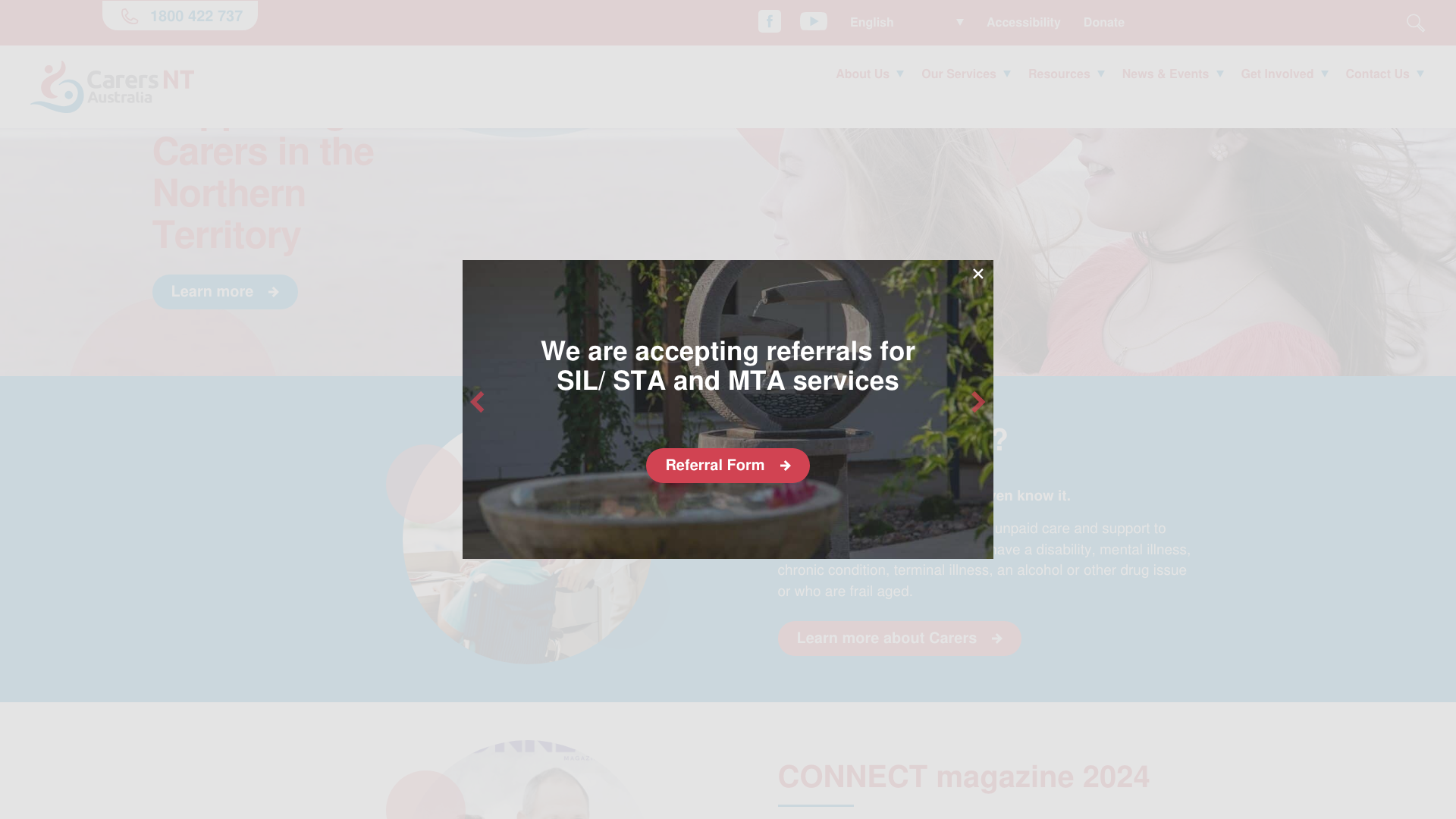
Carers NT uses a red and blue palette and stands out for its built-in accessibility toolbar. The site provides resources for carers across the Northern Territory, with clear navigation by carer type and support need. The toolbar adds reading controls to the ordinary page interface.
The toolbar draws attention to reading preferences, but its presence alone does not establish that the site is accessible. Forms, navigation and page content still need testing.
For a Darwin website design project, assess the ordinary page experience as well as any extra controls. Can a visitor read the service information, move through the menu and submit an enquiry without getting stuck?
5. Hands Across Canberra: signpost different supporter roles

Hands Across Canberra leads with “GIVE WHERE YOU LIVE” and provides multiple engagement pathways: donate, volunteer, apply for grants, attend events, and partner with corporate sponsors. These links give applicants and supporters different starting points.
The homepage offers different entry points for people who want to:
- Give money or volunteer their time.
- Apply for community funding.
- Involve their business in supporting local work.
Hands Across Canberra gives all of these audiences a clear starting point. Visitors can choose a route that matches the support they want to offer.
A well-connected approach for any Canberra website design project.
6. Sydney Community Foundation: give impact figures context

Sydney Community Foundation reports $40 million raised and connected, a donor community of more than 4,000 and over 500 projects supported on its homepage, checked in September 2026. The figures describe the foundation’s work; they do not measure the website’s performance.
The impact block gives a visitor concrete information to assess alongside the foundation’s purpose. Its annual report link offers a route to more detail than a headline number can provide.
For web design in Sydney, the lesson is to make evidence readable and traceable. Label what each figure measures and give it a reporting period; avoid leaving an old fundraising total on the homepage indefinitely.
7. Sunshine Butterflies: show the place behind the programs
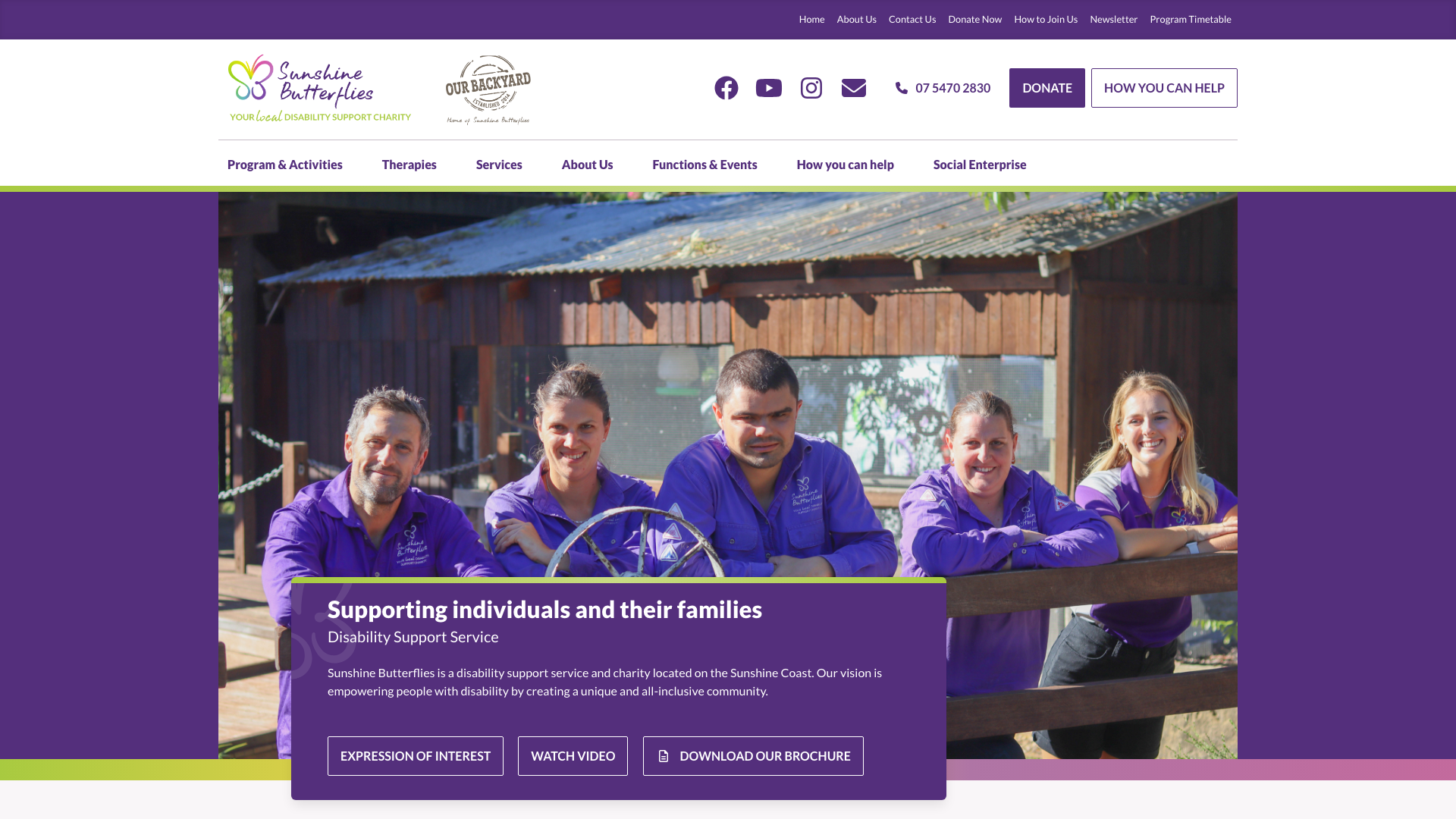
Sunshine Butterflies uses nature-inspired greens with “Our Backyard” branding for its outdoor recreation space. The site highlights programs for people with disabilities, with participant photography throughout and a cheerful, active tone.
The “Our Backyard” outdoor recreation branding gives the organisation a tangible, physical identity that visitors can picture. The place name and activity photography give visitors something specific to picture.
The activity photography explains what the programs involve. Show people what their donation looks like in action.
A vivid approach for any Sunshine Coast website design project.
8. Second Chances SA, Adelaide: make recognition easy to assess
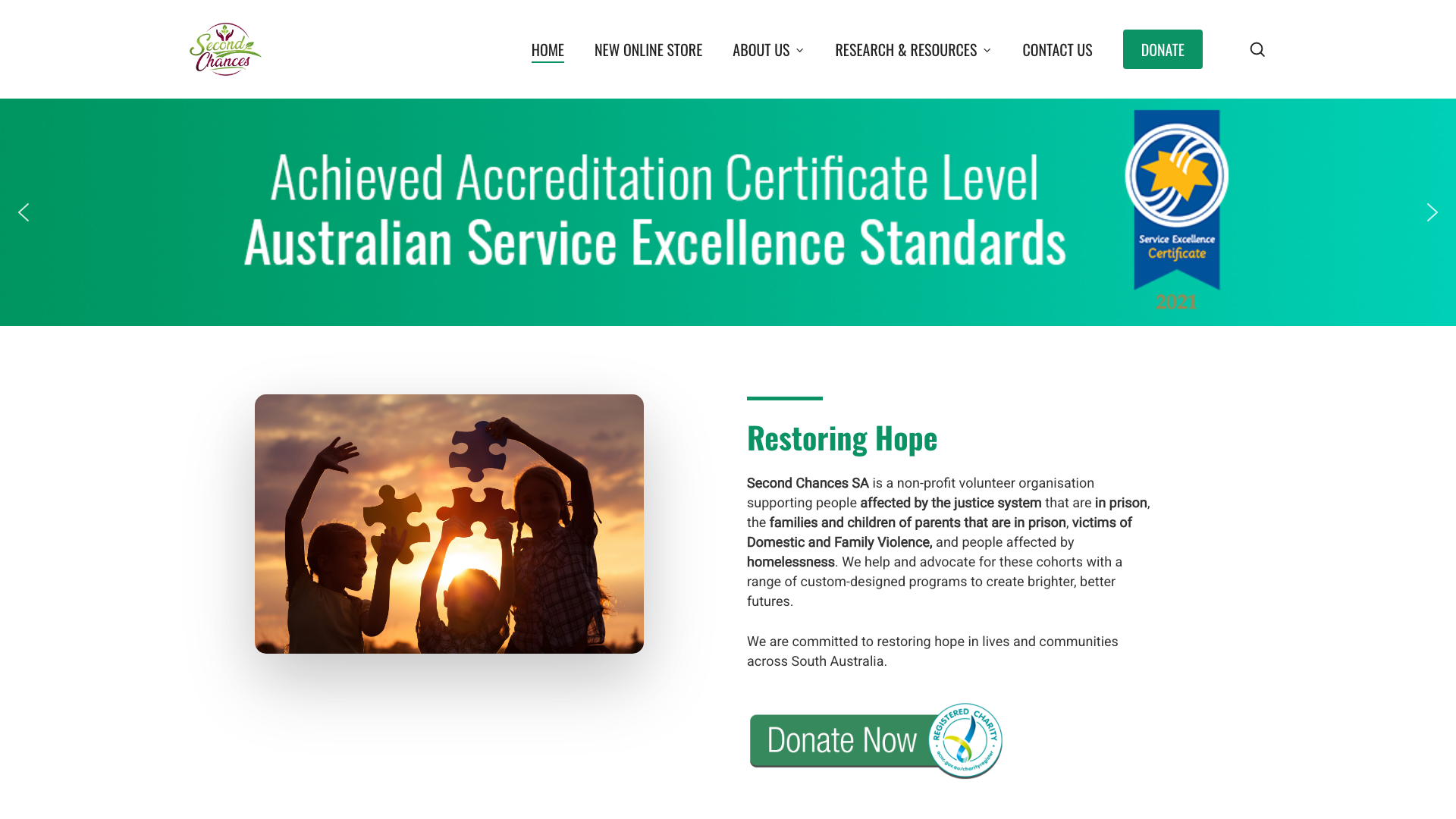
Second Chances SA uses green accents with the tagline “Restoring Hope.” The site features its award wins and community recognition, with a clean layout that makes volunteering and donation information easy to find.
The awards and recognition give visitors another way to assess the organisation. An award is more useful when the page names the awarding body and explains what was recognised.
The recognition needs enough context for a reader unfamiliar with the charity. For an Adelaide website design project, place proof close to the relevant claim rather than expecting a badge on its own to explain the organisation’s work.
9. Coast Shelter, Central Coast: consider visitors in urgent situations

Coast Shelter uses a navy and gold palette and includes a “Quick Exit” button for vulnerable visitors. The site serves people experiencing or at risk of homelessness, with clear pathways for both those seeking help and those wanting to support the mission.
The Quick Exit control acknowledges that some visitors may need to leave the page suddenly. Leaving quickly is a different task from donating or finding a service, and it deserves attention in the interface.
For a Central Coast website design project, test what the button actually does and explain its limitations. Do not present a quick exit as a guarantee of privacy or safety.
10. Lord Mayor’s Charitable Trust, Brisbane: separate giving from applications
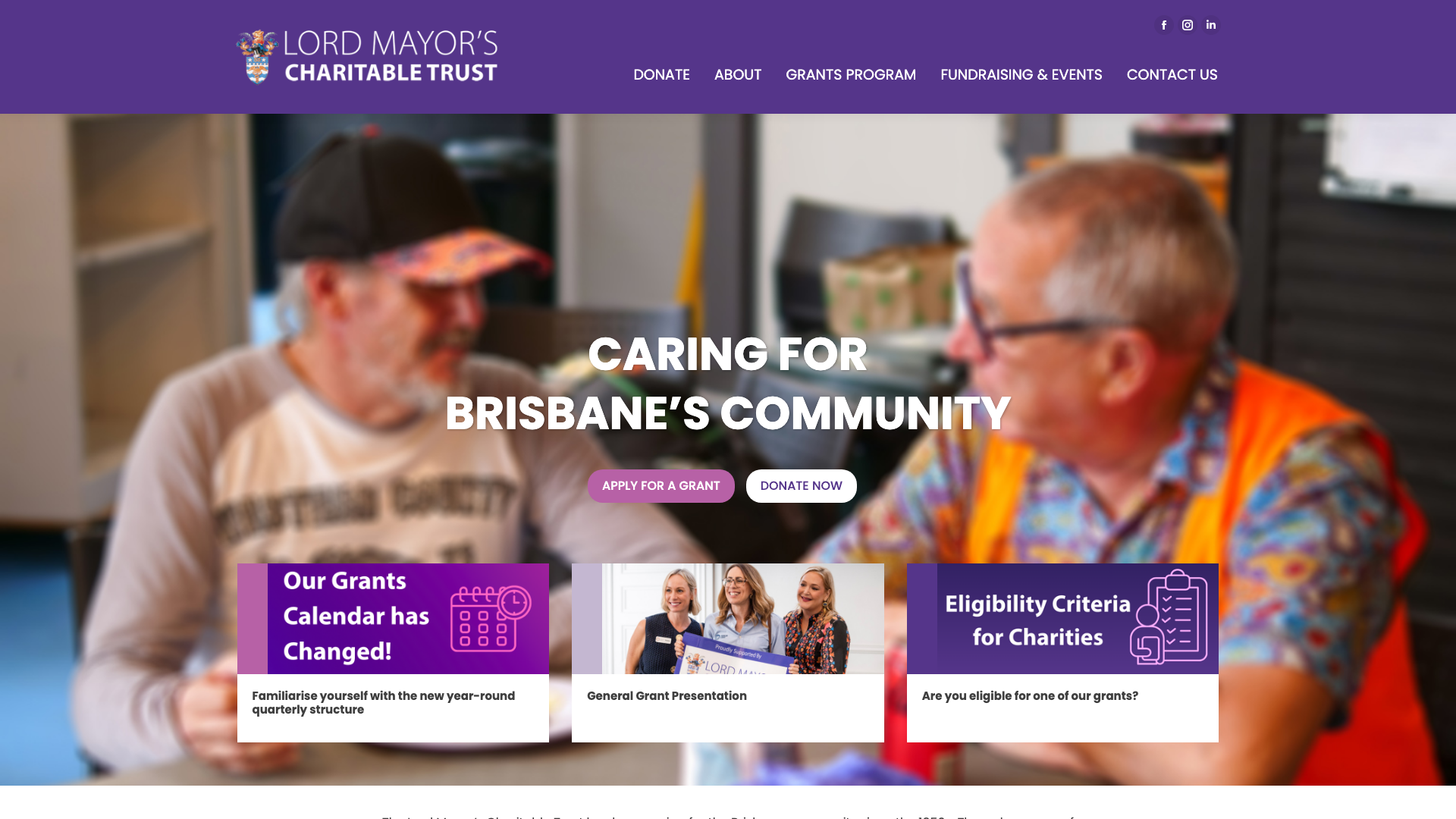
Lord Mayor’s Charitable Trust uses a purple colour scheme with clear grant application pathways. The site serves as both a public-facing charity page and a grants portal for community organisations seeking funding. The dual audience is managed through well-separated navigation sections.
The Trust’s homepage separates grant applications from donations, with a dedicated eligibility link in its navigation. This is useful for organisations serving both funders and applicants; it does not establish that a grant round is currently open.
The example shows how a website connects visitors with information and actions. When scoping web design in Brisbane, map those two audiences before deciding which buttons belong in the header.
11. SWAG Illawarra, Wollongong: explain how the organisation started

SWAG Illawarra uses blues and teals and tells its founding story: started by twin brothers who saw a need in their community. The site communicates its grassroots origins while presenting a professional, established organisation.
The founders’ story explains why this organisation exists and gives readers people to remember. It can sit beside practical information about the help available, rather than replacing it.
The combination illustrates how web design organises a story and its next steps. For a Wollongong website design project, make the route from the origin story to getting involved easy to follow.
12. Show The Way Inc, Gold Coast: make the donation route visible

Show The Way Inc uses “TOGETHER WE CAN” repeated three times as its opening statement, creating a visual rhythm that reinforces the collective action message. The site includes PayPal donation integration and a clean, community-focused layout.
The triple “TOGETHER WE CAN” repetition is a bold typographic choice that creates impact. It feels more like a rally cry than a charity tagline.
A recognisable payment option can be useful, but the complete donation form still needs checking. Sometimes the best design choice is the one that makes giving easier, not prettier.
A direct approach for any Gold Coast website design project.
13. Give Where You Live, Geelong: connect the name to local work

Give Where You Live Foundation uses a green accent and has been operating since 1954. The site focuses on local impact in the Geelong region, with clear information about grants, scholarships, and community programs.
The foundation’s homepage dates its work to 1954. Its name also states the local giving idea without needing a separate slogan.
The useful lesson for a Geelong website design project is to connect that local promise to named programs and communities. A founding year supplies context; visitors still need an explanation of the work happening now.
14. Soul Hub, Newcastle: explain the support beyond food

Soul Hub uses a purple and amber palette with the tagline “more than a meal.” The site communicates that the organisation provides community connection alongside food relief, positioning its services as holistic rather than transactional.
The “more than a meal” tagline reframes what could be seen as basic food charity into something bigger. The service pages need to explain what that additional support includes and how to access it.
The wording tells visitors to look beyond food provision when reading about the service. The purple and amber palette gives the page a consistent visual identity.
A service-focused approach for any Newcastle website design project.
15. Ballarat Foundation: give each program its own explanation

Ballarat Foundation highlights specific programs like the L2P learner driver program and the Dolly Parton Imagination Library. The site uses program-specific pages that explain exactly how each initiative works and who it helps.
The program-specific detail for L2P and Dolly Parton’s Imagination Library gives donors something concrete to support. Separate program pages let readers explore the work that interests them.
The L2P program pairs volunteer mentors with young people who need driving hours. The library sends free books to children.
Each program gives readers a distinct reason to explore further. A specific approach for any Ballarat website design project.
16. MADCOW, Bendigo: explain the social enterprise model
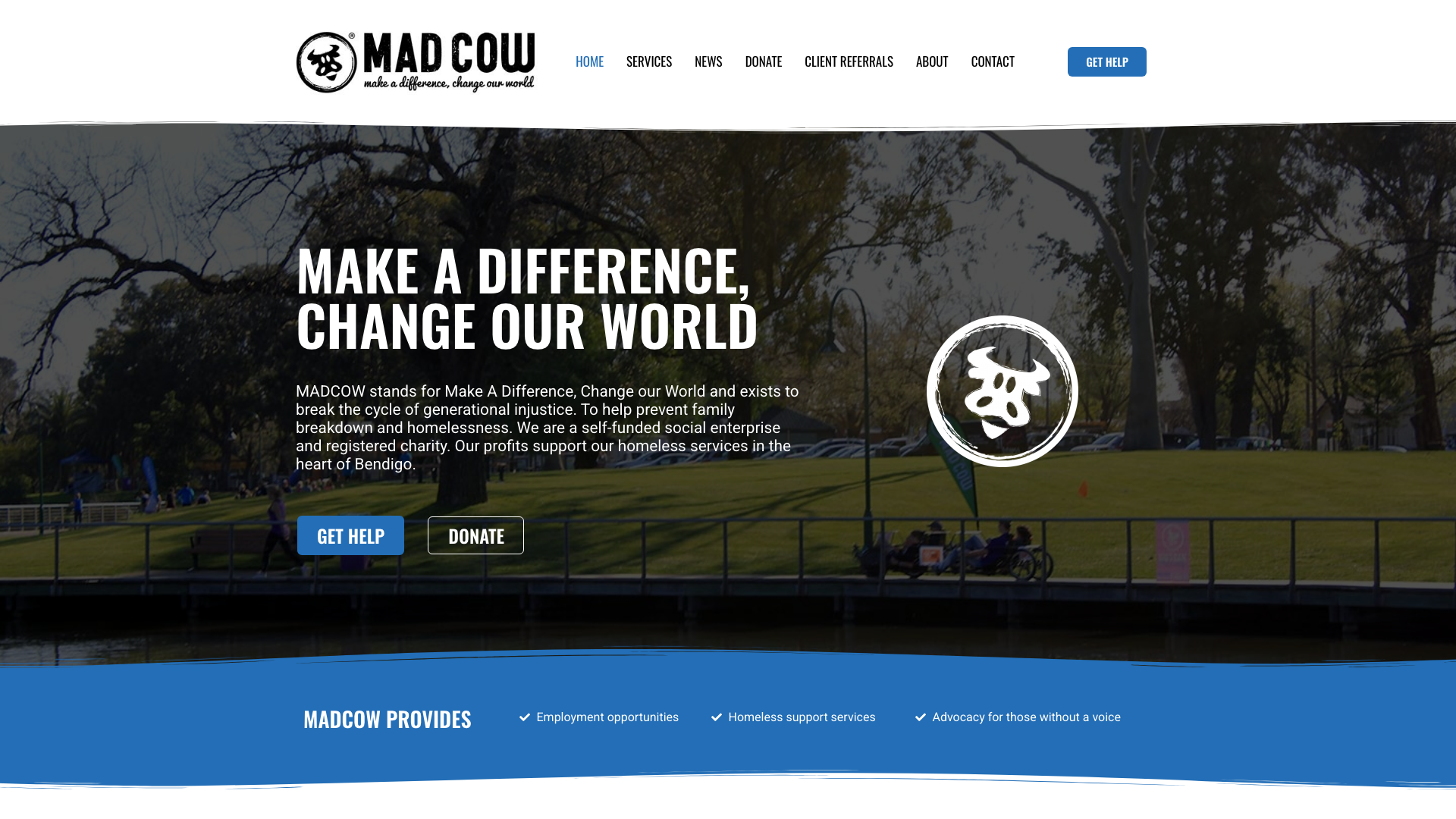
MADCOW uses bold blue and orange and presents its social enterprise activities. The site describes the organisation’s community work alongside those activities. The strong colour contrast gives the brand a conspicuous presence.
The social enterprise model needs a clear explanation of how the organisation’s activities support its community work. Revenue from trading does not, by itself, prove that donations avoid administration costs.
For a Bendigo website design project, keep that distinction visible. Describe the activities and link to reporting where available, so readers can understand the funding model without guessing from the branding.
What sets not-for-profit website design apart
A commercial website usually answers one question: what does this business sell? A not-for-profit website has to answer several at once. Someone looking for emergency housing needs different information from a corporate sponsor evaluating a partnership, and both land on the same homepage.
That split shaped most of the 16 examples above. Big Group Hug separates donations, goods and volunteering. Lord Mayor’s Charitable Trust keeps grant applications apart from giving. Coast Shelter adds a quick exit for visitors in unsafe situations. Each site treats its audiences as people with distinct tasks rather than funnelling everyone toward a single button.
Trust needs figures a visitor can check
A business can lean on product reviews and visible pricing. A charity asking for donations has to show where the money goes. Sydney Community Foundation’s impact block works because it names the figures and links to annual reporting. An unsourced “we’ve helped thousands” asks visitors to take the organisation’s word for it, which is the opposite of building trust.
Registered charities can strengthen this by linking to their ACNC Charity Register entry, which lists governance documents, financial reports and responsible persons. An external register link is harder to question than a homepage claim.
Accessibility carries legal weight in Australia
The Disability Discrimination Act 1992 applies to Australian organisations regardless of sector, but not-for-profits serving vulnerable communities face higher practical stakes. If someone experiencing homelessness cannot navigate the site on their phone, the design has failed the people it exists for. Carers NT’s accessibility toolbar is a starting point; forms, headings and link labels all need testing with real assistive technology.
Donation pathways need clarity, not persuasion
A well-designed giving page names what the donation supports, explains any tax deductibility for organisations with deductible gift recipient (DGR) status, and confirms the payment method. Asking visitors to “give generously” without showing them where the money goes is a trust problem dressed as a design problem.
Show The Way’s visible PayPal integration and Big Group Hug’s separated action cards both aim at removing friction, but the real test is whether a first-time visitor can complete a donation without confusion or second-guessing.
What makes good not-for-profit website design?
Good not-for-profit website design gives each audience a clear next step and enough information to judge it. Big Group Hug’s separate donation and volunteer routes, and the Lord Mayor’s Charitable Trust’s applicant pathway, show why one general “Get involved” link can be too vague.
- Label actions by task: request help, donate goods, give money or volunteer.
- Explain the work with named programs and current reporting.
- Check the destination behind every prominent button, including forms hosted elsewhere.
The examples also share a pattern worth noticing: the ones that feel most trustworthy name something specific. Hobart City Mission names a founding year. Ballarat Foundation names individual programs. Sydney Community Foundation names a dollar figure and a reporting period. Generality is where trust goes to die on a not-for-profit website. The more concrete the claim, the easier it is for a visitor to judge whether the website is doing its job.
Which example fits your community organisation website?
A community organisation website should reflect the jobs its visitors need to complete. Compare the examples by those jobs before choosing a visual style.
| Visitor need | Example to study | Design question |
|---|---|---|
| Offer goods or time | Big Group Hug | Does each type of support have its own instructions? |
| Apply for support | Lord Mayor’s Charitable Trust | Can applicants find eligibility information? |
| Understand local impact | Sydney Community Foundation | Can readers trace figures to reporting? |
| Explore a named program | Ballarat Foundation | Does the page explain who the program helps? |
| Leave a page quickly | Coast Shelter | Does the exit control work, and is it explained honestly? |
| Assess the organisation’s credibility | Hobart City Mission, Second Chances SA | Can visitors verify the claims on the page? |
Before borrowing a layout, write down the visitor task and walk through it on a phone. A striking homepage is only one part of the experience.
- Open the relevant service or support page from the homepage.
- Find the requirements, contact details or next step.
- Check the form on a narrow screen, including its error messages.
- Confirm what happens after submission and who handles the response.
Nonprofit website design questions
Which is the best nonprofit website design example to copy?
Choose the example that solves a similar visitor task. Big Group Hug is useful for comparing different ways to help, while Ballarat Foundation is useful for explaining separate programs.
Borrow the organising idea, then write your own content. This selection does not establish a single winner for accessibility, donations or search performance.
What should charity web design make easy to find?
It should make the charity’s work and the visitor’s next action easy to find. On the Lord Mayor’s Charitable Trust site, giving and applying for support have separate pathways.
- People seeking help need service information and contact options.
- Supporters need clear donation or volunteering instructions.
- Readers checking credibility need reporting and details about the organisation.
Does an accessibility toolbar make a nonprofit website accessible?
A toolbar alone cannot demonstrate accessibility. The W3C’s accessibility design guidance covers contrast, navigation, labels and feedback, all of which concern the page itself.
Test forms and navigation with people who use different input methods. A visible accessibility control is a starting point for investigation.
How should a nonprofit website present impact statistics?
Name the measure, identify its reporting period and link to the evidence. Sydney Community Foundation’s impact block is an example of presenting organisational figures prominently.
A total raised does not tell you how many donations came through the website or whether a redesign changed them.
What should a small nonprofit check before choosing a design?
Check that staff can maintain the pages the design depends on. A homepage full of campaign cards needs someone responsible for replacing expired appeals and checking links.
Agree who owns these tasks, whether staff handle them or they sit within ongoing website management. The design should suit the organisation’s capacity to keep it useful.
Do these examples prove that a design increases donations?
No. They show public design choices; they do not give us access to donation analytics or controlled before-and-after results.
To assess a change on your own site, compare completed donations with visits to the donation form over comparable periods. Account for appeals and changes in traffic before crediting the layout.
What is the difference between nonprofit and not-for-profit in Australia?
In Australian legal usage, “not-for-profit” is the broader term covering any organisation that does not distribute profits to members. “Nonprofit” is interchangeable in everyday conversation and more common in American English. The Australian Charities and Not-for-profits Commission (ACNC) uses “not-for-profit” in its guidance.
For website design purposes, the distinction does not change what the site needs to do: explain the organisation’s work and give visitors a clear way to act.
How can a not-for-profit website build trust with potential donors?
Name specific programs, link to annual reports and identify the reporting period for any statistics. Sydney Community Foundation and Give Where You Live both date their impact claims, which lets visitors assess them rather than accept them at face value.
Registered charities can also link to their ACNC Charity Register entry, which lists governance documents, financial reports and responsible persons. An external register link is harder to fabricate than a homepage claim.
What pages should a not-for-profit website include?
At minimum: a homepage that separates audiences, a page per major program or service, an about page with governance and history, a contact page with a response-time expectation, and a giving or support page.
If the organisation holds DGR status, the giving page should state this and explain what donors can claim. If it runs events, a calendar or news section with past and upcoming entries keeps the site from looking abandoned.
Do Australian charities have a legal obligation to make their website accessible?
The Disability Discrimination Act 1992 covers the provision of services, and a website that delivers information or accepts applications is part of that provision. The Australian Human Rights Commission’s advisory notes reference the Web Content Accessibility Guidelines (WCAG) as the relevant standard.
A formal complaint does not require the site to fail a specific WCAG level; it can be based on a person being unable to access the service. Testing forms, navigation and content with screen readers and keyboard-only input is more useful than chasing a compliance badge.
Need a nonprofit website?
Bring examples of the visitor journeys you want to improve, such as finding support or becoming a volunteer. Our nonprofit website design service can help turn those requirements into a site brief.
Compare website design pricing against the pages, forms and ongoing support your organisation needs. Our website design services explain the broader service if you are ready to scope the work.





