

The best SaaS website design examples make the product understandable and give buyers a clear next step.
A SaaS website has to explain software before a visitor can try it. Product screens, useful comparisons and a clear route to a trial or demo help people decide whether to investigate further.
This collection examines 16 software and related technology websites through their messaging, navigation and product presentation. These examples show design choices; they do not establish which sites convert best.
The original screenshots below show earlier versions; live websites can change. The list also includes adjacent fintech and enterprise technology examples, which should be compared with a SaaS product only where the buying journey is similar.
SaaS websites list: 16 design examples to compare
Start with ServiceM8 for product presentation, Octopus Deploy for technical buyer evidence, and Skedulo for industry navigation. The remaining examples show other approaches to explaining software; the numbering is for reference, not an independently measured league table.
1. Airwallex: separate a broad product range
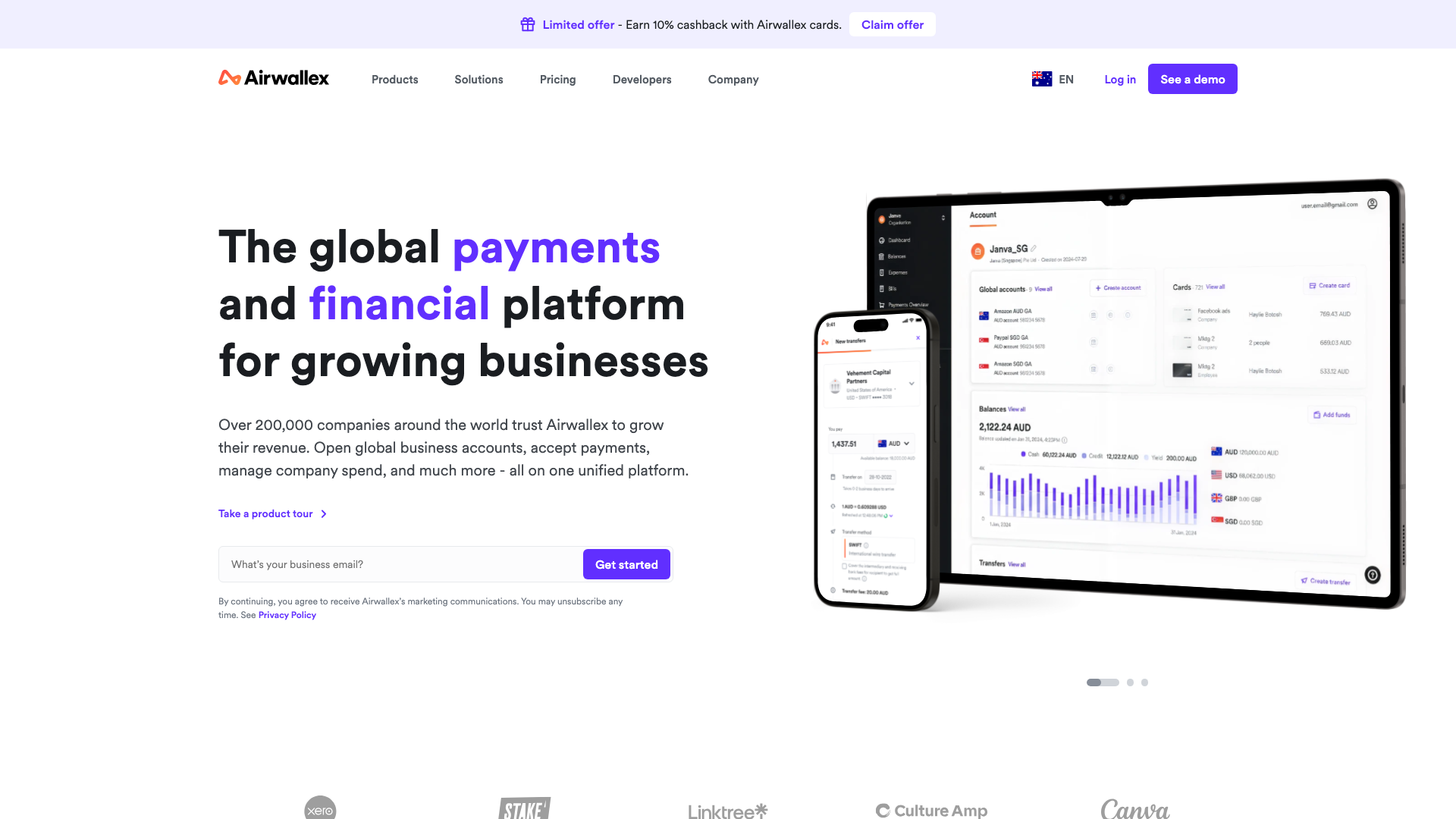
Airwallex uses a purple-dominant hero with gradient card systems in orange, blue, and cyan. White backgrounds separate the colourful product cards from a dark testimonial section.
The colour-coded gradient cards for each product category create instant visual differentiation across their payment offerings. You can see the product architecture in the design itself.
That is how a SaaS site should work: the design mirrors the product. For website design for a Melbourne software business, separate products visually when buyers need to compare them.
2. Octopus Deploy: connect features to customer evidence

Octopus Deploy now leads with deployment governance and a product dashboard. Its homepage connects deployment features to named customer stories and gives technical buyers a route to integration information.
The useful pattern is the connection between a claim and its evidence: readers can follow a customer story rather than rely on a logo alone. Those are vendor-reported product outcomes, not proof that the homepage design increased signups. An Adelaide website design project for technical software can use the same evidence structure with its own documented results.
3. Cognitive Software: explain a complex proposition
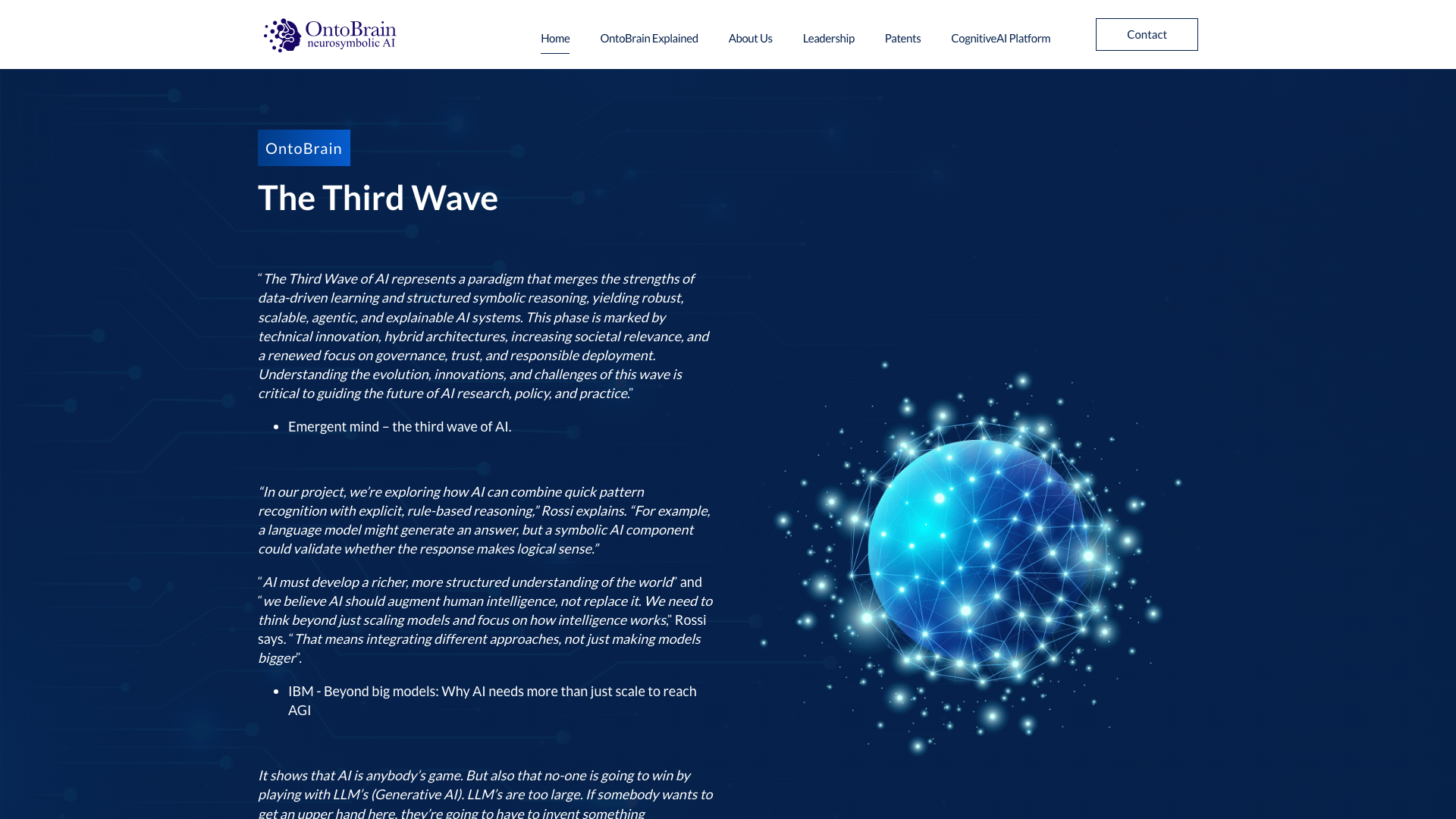
Cognitive Software takes a different approach entirely. The hero sits on dark teal with an asymmetric layout: “The Third Wave” on the left, a product image on the right.
No conversion-focused CTAs in the hero. Instead, the design leads with an extended passage explaining third-wave AI concepts.
Authority quotes from Emergent Mind, IBM, and Professor Gary Marcus appear as featured pull-quotes.
The editorial, white-paper-style layout treats the homepage more like a thought leadership document than a typical SaaS landing page. The text-heavy layout gives the research more space, but readers still need a clear explanation of what the product does.
Technical buyers need citations they can inspect and a clear explanation of how the product applies that research. Research-led website design for a Sydney software business still needs a clear product explanation.
4. Skedulo: give each industry a route in
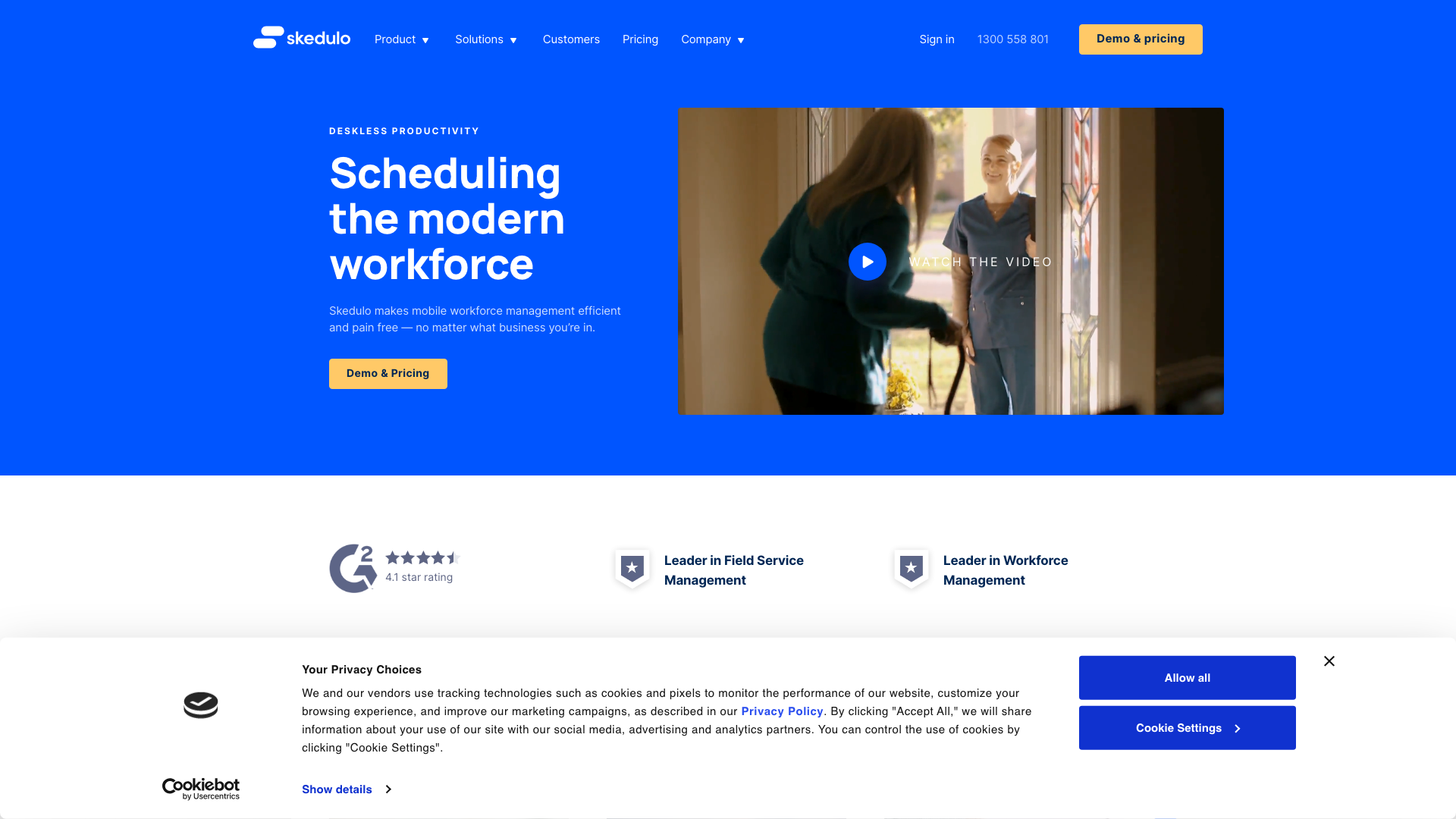
Skedulo leads with navy blue and bright blue accents. “Scheduling the modern workforce” with an embedded video demo. Enterprise client logo carousel and modular vertical sections.
The industry-specific navigation pathways for healthcare, field service, and nonprofits directly in the mega-menu show product depth without clutter. That kind of segmented UX helps enterprise buyers self-qualify. When planning website design for a Brisbane software business, map those routes to genuinely different customer needs.
5. Micromine: organise specialist software
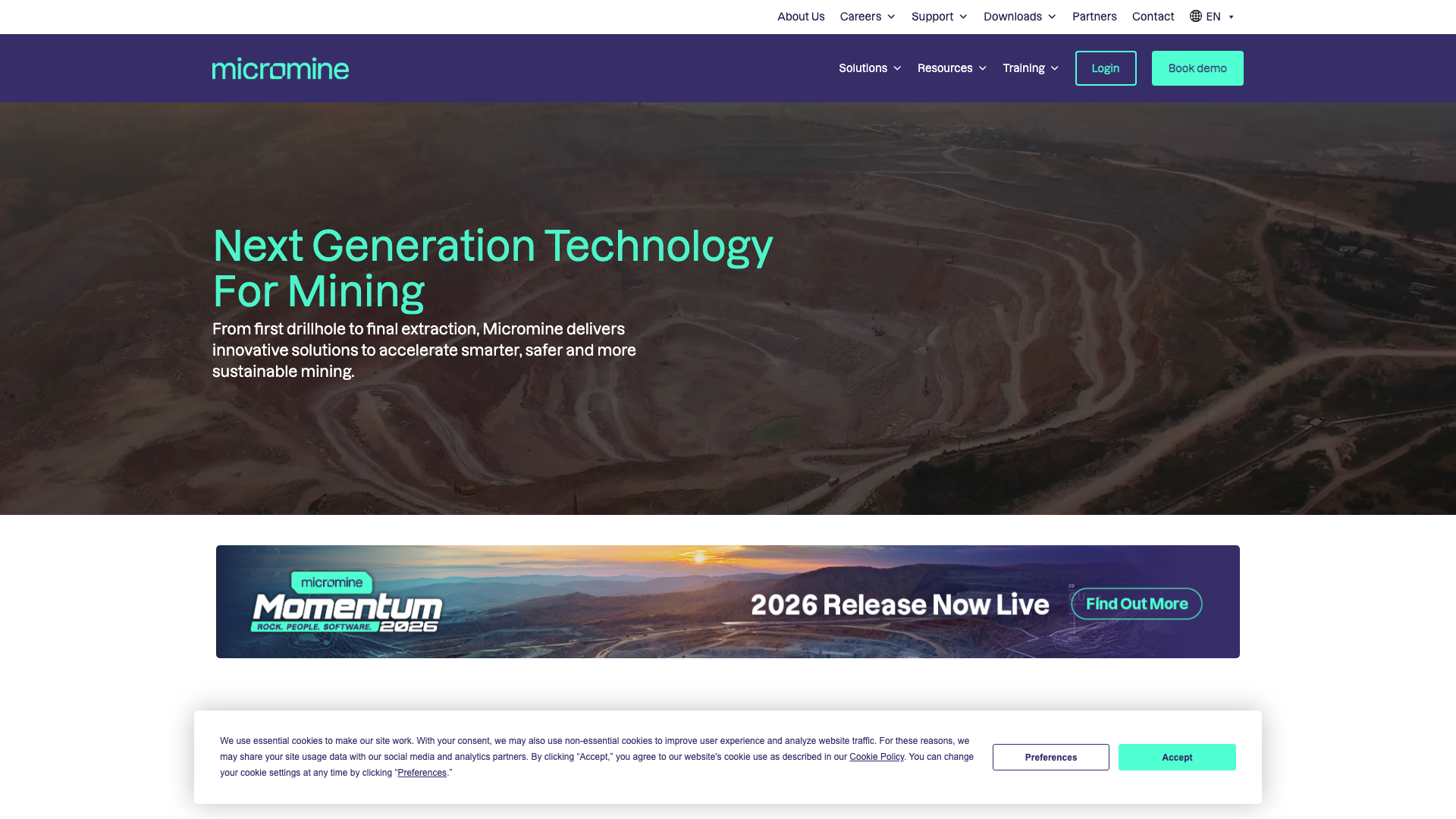
Micromine goes dark purple with cyan and lime accents. Mega-menu navigation, responsive layout. Three-column product show for mining software.
The bold neon accents against deep purple make technical mining software feel contemporary. The contrast separates product areas from the dark background.
Check that labels remain readable before borrowing the palette. In website design for a Perth software business, use contrast to organise specialist information, then test its readability.
6. Desygner: make plan comparisons visible
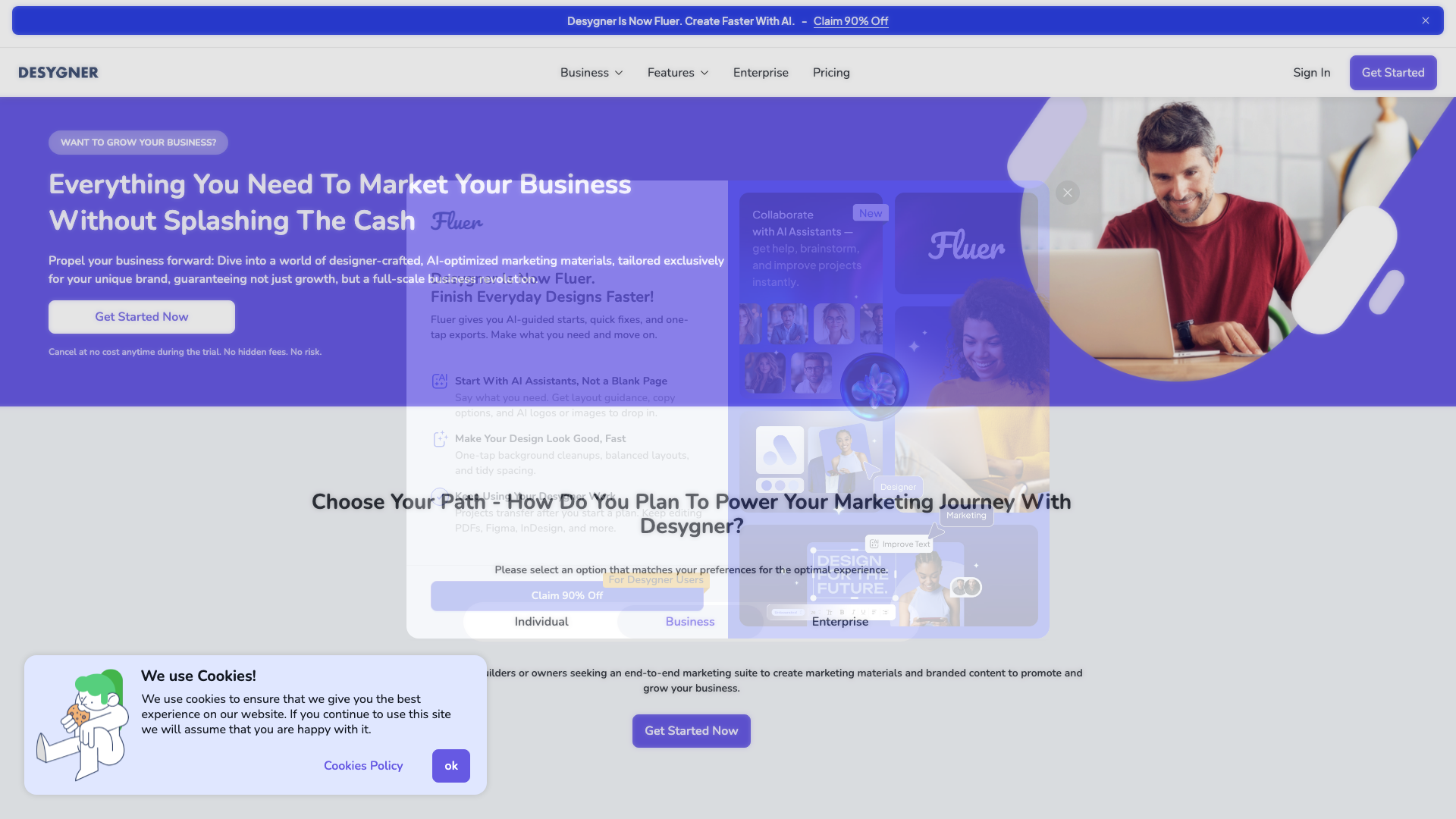
Desygner uses purple with yellow accents. “Everything You Need To Market Your Business Without Splashing The Cash.” A feature slider introduces the product capabilities.
Three pricing tiers visible on the homepage.
The interactive pricing calculator with competitor cost comparisons lets visitors see savings before signing up. Visible pricing lets readers compare the offer before contacting sales. For website design for a Gold Coast software business, give each comparison a clear basis and update plan details when the offer changes.
7. QuintessenceLabs: explain technical differences

QuintessenceLabs leads with a dark hero and gold accents. “FUTURE-PROOF ENCRYPTION FOR THE QUANTUM ERA.”
Comparison tables visualising quantum threat timelines. Technical quotations appear alongside the product explanation.
The “Old Way vs. New Reality” comparison tables make complex quantum cryptography accessible.
When your product is technically complex, design that simplifies the message is more valuable than design that looks pretty. A comparison table in website design for a Canberra software business should make its assumptions and sources easy to check.
8. Biteable: demonstrate a visual product

Biteable uses deep purple gradients with white contrast. “The easiest online video maker powered by AI.” Avatar show carousel, Nike/Amazon/Stanford trust logos, FAQ accordion.
The avatar carousel shows examples of the videos users can make. It gives readers a product example to inspect on the homepage.
Pair the demonstration with an explanation of the task and its limits. For website design for a Hobart software business, choose a short demonstration that answers a specific buyer question.
9. ServiceM8: show the working interface

ServiceM8 presents job management software through recognisable work tasks and product screens. Its site also gives prospective customers routes to plans and pricing.
A product screen is useful when the accompanying copy explains the task being completed. For a website design project in Darwin, show a relevant workflow and explain device requirements explicitly; a screenshot alone cannot establish support for every device.
10. Xestro: explain the practitioner perspective

Xestro uses a light gradient hero with dark blue CTAs and orange accents. Practice management product screenshot.
Card-based feature grid. Testimonial carousel.
The doctor-founded credibility messaging combined with a healthcare-specific aesthetic gives readers context for assessing the product. Explain which practitioner experience shaped the product and how it relates to the buyer’s work. In website design for a Sunshine Coast software business, link founder expertise to a concrete product decision.
11. Evergen: make the industry focus clear

Evergen uses blue as the primary accent with dark navy footer. A clearly separated page layout.
“Energy Management Software” positioning. CTA buttons with hover effects.
Consistent typography in the original screenshot.
The Energy Management Software heading makes the industry focus clear. The .energy domain reinforces the niche.
When your SaaS serves a specific industry, the design should reflect that industry. For website design for a Newcastle software business, plain industry language can explain the offer before a visitor opens the product pages.
12. Accelo: connect the product to business decisions
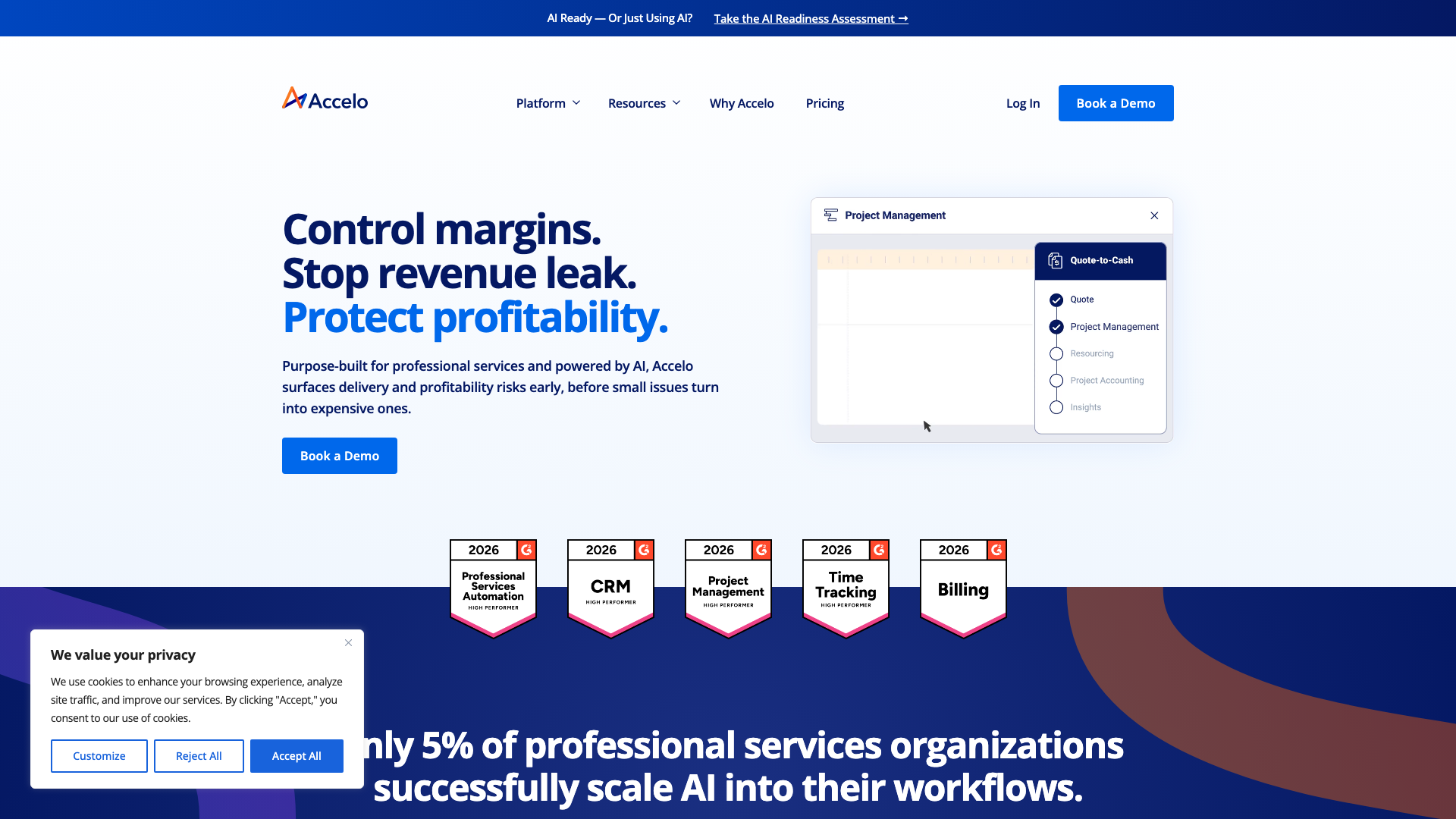
Accelo now presents its professional services automation software around project management, resourcing and financial visibility. A prominent demo route fits a product that buyers may want explained in the context of their business.
The design lesson is to connect feature descriptions to the decisions a buyer needs to make. Avoid copying an outcome percentage without the customer, timeframe and method behind it. A website design project in Wollongong can use a specific, evidenced customer story beside a relevant demo invitation.
13. ClickSend: serve business and developer readers

ClickSend opens with “Business Communications. Solved.” Dual CTAs.
PepsiCo, F45, and Dan Murphy’s trust logos. Three product cards for SMS, MMS, and Rich Messaging.
Developer-focused tabbed code examples.
The tabbed code snippet section showing API examples bridges business and developer audiences on the same page. Business explanations and code samples address different reader needs.
Keep product explanations easy to scan and give developers a direct route to code examples. For website design for a Geelong software business, keep developer documentation accessible without making it the first thing every buyer must read.
14. Up: an adjacent banking design example

Up is a banking brand of Bendigo and Adelaide Bank, rather than a subscription SaaS product. Its website organises the proposition around familiar activities such as saving, spending and travel, with an app download as the next step.
The original screenshot illustrates a bold colour palette and informal tone. The transferable lesson is to organise content around the customer’s task; banking signup requirements are not a template for a software trial. For website design for a Bendigo business, brand personality still needs to leave the product and next step understandable.
15. SafetyCulture: show different workplace uses

SafetyCulture is included for the workplace scenarios shown in the original screenshot. The layout combines product messaging with examples of different industries using the platform.
The industry imagery gives readers a way to recognise their own working environment. For website design on the Central Coast, choose a use case your audience actually shares and explain it beside the product.
16. Signature Software: explain connected business systems

Signature Software now groups its business software offer into areas including revenue management, integration and service workflows. The homepage uses a musical ensemble metaphor to explain how disconnected systems fit together.
This is a useful example to assess critically: the metaphor gives the page a voice, but buyers still need plain descriptions of what each product does. For website design for a Ballarat software business, put the concrete task beside the creative headline so readers do not have to decode the proposition.
SaaS web design: what these examples help you compare
Compare the product explanation, evidence and next step before borrowing a visual style. Octopus Deploy links features to customer stories, while Up organises a different kind of product around everyday tasks; those patterns answer different buyer questions.
- Show a recognisable product task, with a caption explaining what the reader is seeing.
- Connect customer claims to a named case study or review that readers can inspect.
- Make pricing or the process for obtaining a quote easy to find.
- Use industry pathways where they lead to genuinely different product information.
- Check colour contrast and legibility rather than assuming an unusual palette will perform better.
These are review prompts. A screenshot cannot tell you whether visitors become qualified leads, activate a trial or remain customers.
How to use these SaaS design examples in a brief
Choose the example that answers a problem on your own site. A technical buyer comparing deployment tools needs different evidence from someone trying a video editor for the first time.
Check the route from explanation to action
- Read the opening heading without the imagery. Can you describe what the product does?
- Follow the main button and check whether it starts a trial, requests a demo or opens a contact form.
- Look for information that would stop an unsuitable buyer signing up, such as device requirements or integration limits.
Separate useful evidence from decoration
- Follow a customer result to its source and check what was measured.
- Ask whether a product image shows a real workflow or simply decorates the page.
- Check that claims beside a testimonial apply to that customer’s situation.
Check the same journey on a phone
- Read the product labels and pricing comparison without zooming.
- Open the navigation and complete the main enquiry or signup step.
- Check that motion does not hide information or delay access to the next step.
Use these observations to scope the product pages, integrations and enquiry journey covered by our website design services.
Assign responsibility for updating product screens, plan descriptions and integration details through ongoing website management.
Turn the shortlist into a repeatable business website audit so each example is assessed against the same questions.
Frequently asked questions about these SaaS websites
Which SaaS website example should I start with?
Start with the buying journey closest to yours. Octopus Deploy is useful for examining technical evidence, ServiceM8 for explaining a working product and Skedulo for industry pathways. A banking example such as Up can inform tone and navigation, but its signup process serves a different product.
What should I look for on a SaaS homepage?
Look for a clear product explanation, a relevant task shown in the interface and an obvious next step. Then check whether the supporting evidence answers the buyer’s likely objection. A large feature list is less useful if readers cannot tell which feature solves their problem.
Should a SaaS website show its pricing?
For a standard plan, visible pricing can help buyers decide whether it fits before they contact sales. If the price depends on implementation or usage, explain those factors and what happens after an enquiry. Do not copy a competitor’s pricing layout without checking that it fits your sales process.
Is a free trial better than booking a demo?
A trial suits a product that a suitable buyer can use independently. A demo may be more useful when setup, integrations or several stakeholders affect the decision. Compare the next step with what the customer must understand before using the product, rather than choosing whichever button appears most often.
Do these designs prove higher conversion rates?
No. Public websites and screenshots show presentation choices, not private funnel performance.
Even a verified customer result describes that customer’s use of the software unless the source specifically measures website performance. Assess your own qualified enquiries and trial activation before deciding whether a design change helped.
How much of an example should I copy?
Borrow the solution to a specific communication problem, such as separating product categories or linking a claim to evidence. Write your own copy and use your own product material. Copying another brand’s layout without its audience, offer and evidence can leave a polished page that answers the wrong questions.
Plan your SaaS website
Bring a shortlist of examples and the product questions your buyers ask. That gives the website project a more useful starting point than a preferred colour palette alone.
Our SaaS website design service covers how the site explains your product and guides enquiries. Compare the project scope with our website design pricing options before deciding what to build.
Choose one product journey to improve first, then check whether buyers can complete it without needing an explanation from your team.






